
OpenRoads Navigator05.05.06.10 - Get APK
You'll be able to download in few seconds.
Publisher Description
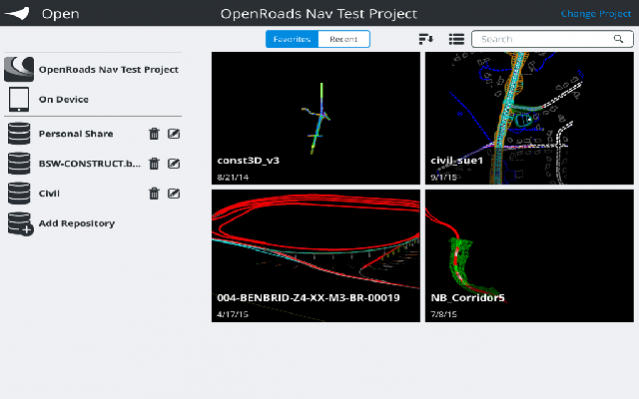
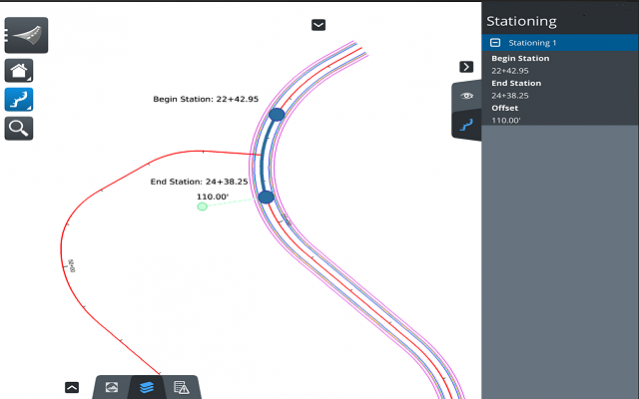
OpenRoads Navigator is an easy-to-use, dynamic mobile software that provides quick access to civil data in the field. You can interactively view, analyze, and augment a wide variety of project information, including reviewing existing terrain, 3D models, and 2D topographies. Improve project coordination and accelerate collaboration through faster reliable capture of feedback from field staff. The result is better decisions throughout the lifecycle of a project, while minimizing risk. With OpenRoads Navigator, you can work better together to speed approvals and resolve issues during design, construction, and operations. Use the app to combine design artifacts with pay item tracking for field inspection. You can take advantage of integrated GPS in both 2D and 3D models with linear and physical coordinate systems. You can collaborate between office, site, and field to gain insight into project planning and execution for faster resolution of issues found in the field. OpenRoads Navigator integrates with ProjectWise to support collaboration with all team members.
About OpenRoads Navigator
The company that develops OpenRoads Navigator is Bentley Systems Incorporated. The latest version released by its developer is 05.05.06.10.
To install OpenRoads Navigator on your Android device, just click the green Continue To App button above to start the installation process. The app is listed on our website since 2017-03-16 and was downloaded 0 times. We have already checked if the download link is safe, however for your own protection we recommend that you scan the downloaded app with your antivirus. Your antivirus may detect the OpenRoads Navigator as malware as malware if the download link to com.bentley.android.openroads is broken.
How to install OpenRoads Navigator on your Android device:
- Click on the Continue To App button on our website. This will redirect you to Google Play.
- Once the OpenRoads Navigator is shown in the Google Play listing of your Android device, you can start its download and installation. Tap on the Install button located below the search bar and to the right of the app icon.
- A pop-up window with the permissions required by OpenRoads Navigator will be shown. Click on Accept to continue the process.
- OpenRoads Navigator will be downloaded onto your device, displaying a progress. Once the download completes, the installation will start and you'll get a notification after the installation is finished.
Program Details
System requirements
Download information
Pricing
Version History
version 05.05.06.10
posted on 2017-03-16
Upload redlines to PW server, escalate redline to issue, misc. bug fixes.
version 05.05.05.07
posted on 2016-12-16
Glyphs are displayed for design links, misc. bug fixes
Disclaimer
External Download
We do not host OpenRoads Navigator on our servers. We did not scan it for viruses, adware, spyware or other type of malware. This app is hosted by Galad and passed their terms and conditions to be listed there. We recommend caution when installing it.
The APK Download link for OpenRoads Navigator is provided to you by apps112.com without any warranties, representations or guarantees of any kind, so access it at your own risk.
If you have questions regarding this particular app contact the publisher directly. For questions about the functionalities of apps112.com contact us.
